Showing posts with label twitter feed. Show all posts

Tuesday, November 8, 2016

Updated: Twitter Feed on Your Blogger

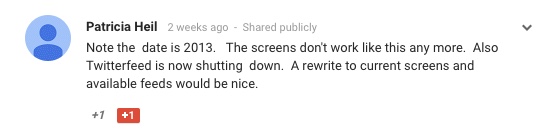
A long time ago in a galaxy far, far away I wrote a post about how to place a Twitter Feed on your Blogger. OK, it wasn't that long ago -- it was 2013 and it wasn't in a galaxy far, far away, because it happened here on planet earth, but it seemed like a nice way to introduce my updated version of putting a Twitter feed on your Blogger. The original post has 43K+ views and 294 comments to date. It has been by far the most important blog post I have ever written traffic-wise. And then it happened, two weeks ago, someone made a rather snarky comment on the post.
I'm not sure why Patricia Heil thinks that I should continue updating a blog post from over three years ago, but she does and after I though about it, I decided she was correct. It is time for an update to the original post. So for all you users of Twitter and Blogger, here is the updated version of How to put a Twitter Feed on your Blogger. Enjoy!

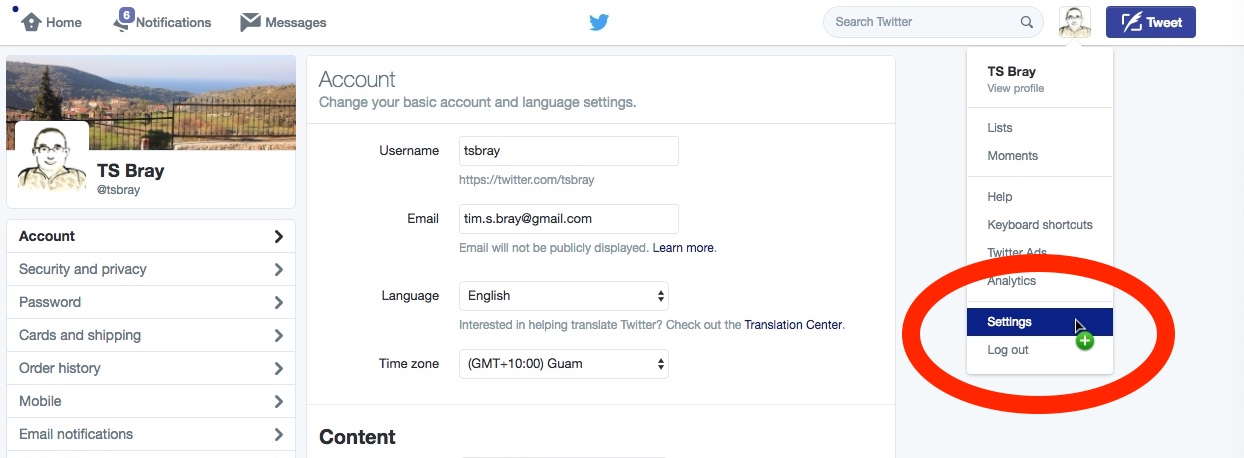
Your journey is going to start by logging in to your Twitter account and going to Setting.

In Settings go to Widgets and Create New.


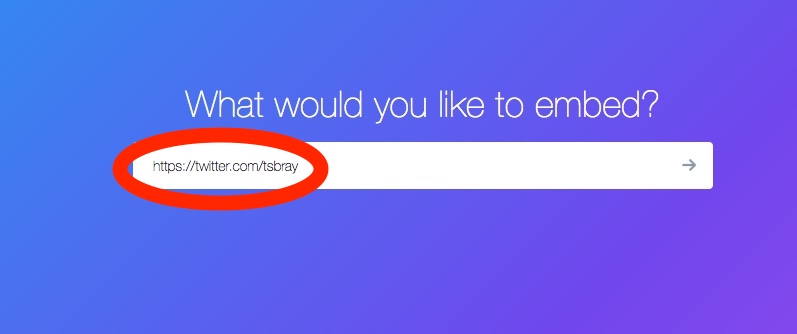
You will type in the URL of the account you want to follow with your feed.

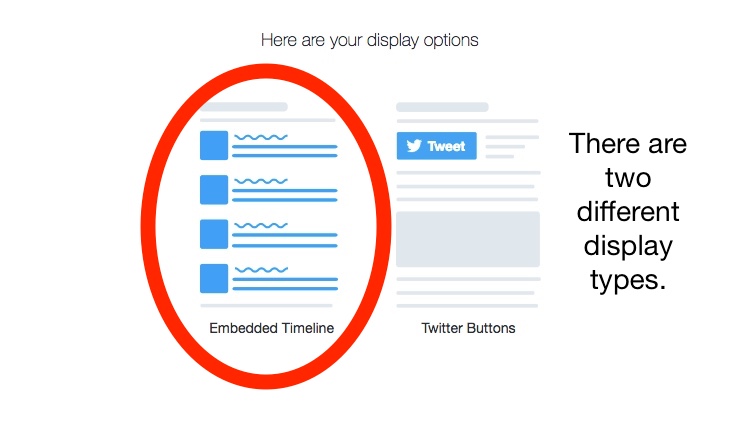
I prefer the Embedded Timeline, but you can choose the other one.


Monday, April 18, 2016

Twitter in Educator Professional Development

First, a short historical perspective on this survey. Back in 2011, while part of the EdTech Team that developed the Fish Bowl, I wrote a blog post on the same topic. Unfortunately, Posterous shut down and that particular blog post was lost in an internet blackhole. I do, however, roughly remember the data gathered, but not exactly. What I do clearly recall from 2011 is that I received about the same number of responses (30), but the percentage of educators who felt that Twitter was a part of their professional development (70% in 2011) and the percentage of educators who felt that Twitter was a useful tool for professional development (50% in 2011) have both jumped in 2016. Second, there is an obvious bias that should be mentioned up front. Bias: I sent this survey on Twitter, which automatically means people who use Twitter are going to respond more than anyone esle. I did also post it on Facebook to an educational group I'm part of (Apple Educators), on LinkedIn, and on Google+, so other nets were cast into the vast ocean of the internet, but Twitter users were clearly more likely to respond.

With those items out of the way, here are the results of the survey.
Question one: I use Twitter as part of my professional development. Of the 30 respondents, 93.4% chose Agree or Strongly Agree.


Question two: I find Twitter useful as a professional development tool. Of the 30 respondents, 93.3% chose Agree or Strongly Agree. Although this question is similar to the first one, there is a subtle difference between the two questions. Question one asks if it is used by the person in professional development and the second question asks if the person finds it useful. This points to the users not doing it because they are being told to use Twitter, but because they personally find it useful. This once again help us to understand that Twitter is a grassroots form of professional development that educators use and enjoy, as opposed to a mandated form of professional development.


Question three: The third question didn't exist on my original survey back in 2011, but I thought it would be good to begin to understand exactly what educators do with Twitter that makes them feel that Twitter helps and/or empowers them with their professional development. The results showed that most (96.7%) share links to content. 80% engage in discussions and following hashtags on topics of interest. 70% use Twitter as a tool to curate content and 43.3% answer surveys (thanks to those people). 13.3% engage in "other" activities. Next survey, I will begin to catalog what "other" activities educators do on Twitter.
Tuesday, March 19, 2013

Twitter Feed on Blogger


Once you follow the steps in this blog post, you will have a Twitter feed in your side navigation bar.

Do you want to add a Twitter feed on your Blogger? If the answer is yes, then this is the blog post for you. There are several steps in the process, but the reward is having a Twitter feed in your Blogger sidebar. I have added several screen shots to walk you through the process. Good luck!

Your journey begins at Twitter. You will need to log in to your Twitter account and then go to the following URL http://twitter.com/settings/widgets.


Select the type of widget that you want to create. You can make a feed that follows one person, a list of people, or hash tag. Hit create widget and you will receive the embed code you need for your Blogger.


Your embed code will magically appear in the window. Copy it! Now you are ready for Blogger!

In Blogger, go to Layout. You will now click on the Add a Gadget button in the side navigation bar.

The list of Gadgets will pop up and you will scroll down to the HTML/Java Script. Pick this option.

Give your Gadget a title and paste the embed code into the window. Hit the save button and you have a Twitter feed on you Blogger site. Congratulations!